
Turn AI friction into better docs
|
This post was written with the help of AI. |
In a previous post, I introduced a Claude skill that generates layered context docs for AI-assisted development: domain-specific guidelines, a cross-cutting AGENTS.md, path-scoped Claude rules, and a thin CLAUDE.md on top.
These files have two problems: they go stale as the codebase evolves, and the initial version is never perfect. Some conventions only surface when the agent tries to follow the docs and stumbles: an unnecessary question, a wrong assumption, output that needs correcting. Each of these stumbles is a friction event: a signal that the docs failed.
I wanted to automate as much of this as possible: capture friction, turn it into doc improvements, and keep developer effort to a minimum. What I ended up with is a feedback loop built on git, Claude Code hooks, and shell scripts, no extra platform or infrastructure required. Let me walk you through it.
The feedback loop
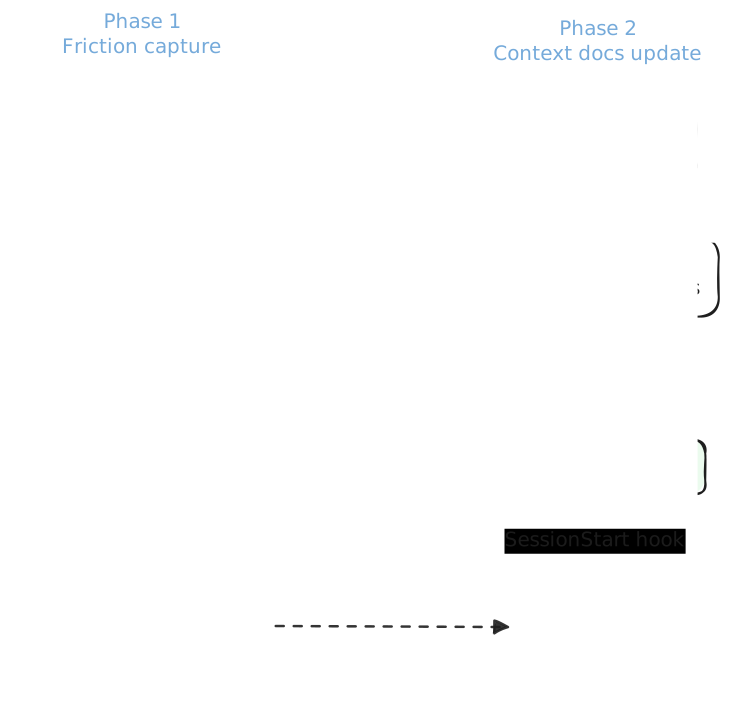
The loop has two phases:
-
Automated friction capture at the end of every Claude Code session
-
A manual step to turn accumulated friction events into context doc improvements
Capturing friction automatically
I wired up a SessionEnd hook that fires at the end of every Claude Code session, or when the /clear command is run:
{
  "hooks": {
    "SessionEnd": [
      {
        "matcher": "",
        "hooks": [
          {
            "type": "command",
            "command": "bash .claude/scripts/friction-capture.sh",
            "timeout": 5000
          }
        ]
      }
    ]
  }
}
When that happens, the friction-capture.sh script runs in a background subshell, so it doesn’t block the user.
The script receives the transcript from the ended session and sends the last 200KB to Claude Haiku with a prompt asking it to identify friction events.
A flock-based lock inside the background block prevents concurrent runs.
Haiku is cheap enough that the cost per session stays under a few cents.
|
|
|
The conversation between the user and Claude is sent to the Anthropic API at the end of each session, using the developer’s existing Claude Code credentials. Tool call outputs (file contents, command output) are not included, but anything discussed in the conversational text is. Injected content in the transcript could also produce friction events targeting arbitrary files. Review the resulting PR diff carefully, and exclude any suspicious events when the skill presents them. Friction capture is enabled by default after the setup PR merges. Developers can opt out with |
What counts as friction
The prompt tells Haiku to scan the transcript for four types of events:
-
Corrections: the user corrected the agent’s output
-
Clarifications: the agent asked a question the docs should have answered
-
Mistakes: the agent made a wrong assumption about the codebase
-
Denials: a tool call was denied, revealing a standing project policy (e.g., "don’t skip the OWASP dependency check")
Not everything qualifies. The prompt applies two filters: would a doc rule have prevented it, and is it likely to happen again? If either answer is no, the event is dropped. For example, user errors, one-off denials, scope changes, transient failures, and case-specific corrections are excluded. For example, "all REST endpoints use kebab-case" is a doc gap, but "no, I meant the other endpoint" is not.
Each event must also name a specific target file (e.g., docs/api-guidelines.md) and state the missing rule in a few sentences max.
Otherwise it is excluded.
Friction event format
For each event, the script writes a markdown file to .claude/friction/{session-id}/.
These files accumulate silently across sessions.
Sessions with zero friction produce no files.
---
type: correction
doc_gap: docs/api-guidelines.md
date: 2026-05-19
---

The agent used snake_case for a new REST endpoint path. The user corrected it to kebab-case,
which is the convention for all API routes in this project.
The startup reminder
On the next session start, a SessionStart hook runs the friction-reminder.sh script to check how many sessions have unprocessed friction:
{
  "hooks": {
    "SessionStart": [
      {
        "matcher": "",
        "hooks": [
          {
            "type": "command",
            "command": "bash .claude/scripts/friction-reminder.sh",
            "timeout": 2000
          }
        ]
      }
    ]
  }
}
Once a configurable threshold is reached (default: 3 sessions), Claude Code displays a reminder at startup:
╔══════════════════════════════════════════════════╗
║  🤖 BEEP BOOP IMPORTANT MESSAGE                  ║
╠══════════════════════════════════════════════════╣
║                                                  ║
║  5 sessions, 12 stumbles. I'm not proud.         ║
║  Update the docs. For both our sakes.            ║
║                                                  ║
║  → /update-context-docs                          ║
║                                                  ║
║  Not your thing? Run /disable-friction-capture.  ║
╚══════════════════════════════════════════════════╝
The messages rotate randomly from a set of five.
Nothing is blocked. The developer can ignore the reminder, act on it by running /update-context-docs, or opt out entirely with /disable-friction-capture.
Turning friction into doc edits
When the developer runs /update-context-docs, the skill first checks for toolkit updates and lets the developer decide whether to install them. If an update changes a skill definition, Claude Code needs to be restarted before it can continue. Otherwise, the skill proceeds to process the accumulated friction files.
|
Each time |
The skill groups events by target file and presents a numbered list. The developer can exclude any that look like noise.
For each remaining event, the skill assesses severity (low, medium, or high), edits the target doc, and enforces a 200-line cap per file. It only touches files that already exist and follows their existing formatting.
If a promptfoo.yaml file exists in the repo, the skill can also propose eval test cases based on the friction events.
The skill then creates a branch, commits, and opens a pull request with a friction metrics summary:
## Friction Metrics

### Events

|      Type      | Count |
|----------------|-------|
| Corrections    |   2   |
| Clarifications |   1   |
| Denials        |   1   |
| Mistakes       |   1   |
| **Total**      | **5** |

### Outcomes

|      Result      | Count |
|------------------|-------|
| Docs improved    |   3   |
| Eval cases added |   1   |
| Skipped by user  |   1   |

**Docs improved:** `docs/api-guidelines.md`, `AGENTS.md`
After processing, the friction files are deleted from .claude/friction/.
Configuration
Set the following variables under the env key in .claude/settings.json for team-wide use, or in .claude/settings.local.json to keep them local.
| Variable | Description | Default |
|---|---|---|
|
Controls whether friction capture is active. Run |
|
|
Number of sessions with unprocessed friction before the startup reminder is displayed in Claude Code. |
|
Try it yourself
All skills and scripts described in this post and the previous one are available as a Claude Code plugin in the gwenneg/blog-ai-friction-loop repository.
|
This repository is intended for experimentation. The toolkit periodically re-downloads and executes scripts from GitHub with no signature verification. If the repository or a release were compromised, malicious code would run on the developer’s machine at the next update. Do not use it on projects with sensitive or proprietary code until artifact signing is in place. |
Clone it and start Claude Code with the plugin from your target project:
git clone https://github.com/gwenneg/blog-ai-friction-loop.git
cd /path/to/your-project
claude --plugin-dir /path/to/blog-ai-friction-loop
Then run /setup-friction-capture, which handles the full installation:
-
Downloads the scripts and skill definitions from the latest gwenneg/blog-ai-friction-loop release
-
Installs the
SessionStartandSessionEndhooks shown earlier into.claude/settings.json -
Updates
.gitignorewith an allowlist pattern for the.claude/directory -
Commits everything and opens a PR
The .claude/ directory mixes things that should be committed (hooks, scripts, skills, shared settings) with things that should never be (friction logs, local settings, worktrees, lock files).
The allowlist pattern looks like this:
/.claude/* (1)
!/.claude/settings.json (2)
!/.claude/scripts/ (3)
!/.claude/skills/ (4)
!/.claude/.friction-capture-version (5)| 1 | Ignore everything in .claude/ by default. |
| 2 | Shared settings are committed so the team gets the same hooks. |
| 3 | Scripts are committed so the hooks work for everyone. |
| 4 | Skills provide /update-context-docs and /disable-friction-capture to all developers. |
| 5 | Tracks the installed toolkit version for update detection. |
The PR includes a note for reviewers about what data is sent and how to opt out.
What’s next
As AI agents take on more of the coding work, keeping context docs accurate becomes critical. Friction will always exist. The question is whether it gets captured and fixed, or silently repeated across sessions.
I’m deploying this across several repositories at Red Hat and collecting feedback. This is one approach to the problem, and I expect it to change as teams adapt it to their own workflows.
The capture is purely reactive right now: it catches what went wrong, not what could go wrong. A major refactor can silently invalidate parts of the guidelines, and the loop only notices once an agent stumbles. That’s a known gap and something I want to address.
I’m also working on the developer experience, exploring ways to further minimize the effort required from devs while keeping the docs updated automatically. That could eventually mean getting rid of the manual step entirely.
If you try this or build something different, I’d love to hear about it. What breaks, what works, and what the next step looks like for your team. Feel free to share in the comments.
Leave a comment